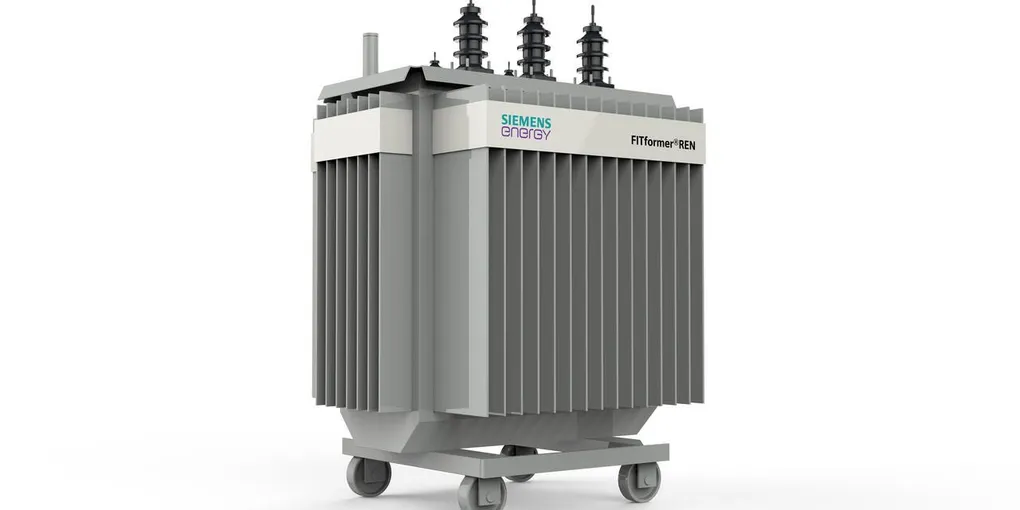
Transformer Digital Twin: Closed-Loop Thermal Simulation
A closed-loop digital twin built to stress-test industrial PLC safety logic — upgraded from bang-bang to PID control with real physics.
The Small Introduction
As you know, since I am building my portfolio based website, I am trying to make projects which are related to, especially, automation. And I know that my lots of projects have connections with Python and CODESYS SoftPLC which can make the website or projects are quite boring. So, this project you are reading are also based on that free and open-source weapons.
The Starting Point
I am a senior year student at the university, if we do not count or consider that semester, I have one semester to graduate the Bachelor degree. Thus, I am trying to impress HR managers with my “cool” projects. When I found that Siemens Energy has a vacancy for Engineering Intern, I said, I have to make some project which is related to their mission to achieve or solve. Transformer Digital Twin was it.
What Is It?
The full name of this project is Transformer Digital Twin: Closed-Loop Thermal Simulation as you see it in the headline. Before explanation about this project, I wanna talk a little about closed and open loop difference. There is only one requirement which differs each other. It is “closed-loop” if a system uses feedback to make decisions.
• Open Loop: For example, one cooling down system works every 10 minutes, but it does not care about whether the whole system cools down or not.
• Closed Loop: For example, that cooling down system begins working with measuring temperature, so, it turns on when it goes hot and also it turns off when desired temperature is reached.
It is the real-world problem. Namely, big companies, like Siemens Energy which specializes in energy, always encounters that problem. It is simply about preventing transformers getting really hot. Due to fact that high-voltage transformers are the massive metal boxes and when electricity flows through it, the copper coils generate extreme hot. Not to explode a transformer from heating, a transformer has massive cooling fans to cool down and a PLC (brain) monitors the temperature and decides whether turns on fans or not.
The Architecture
The whole system has three big pieces talking to each other:
Python Digital Twin          Modbus TCP/IP (port 502)          CODESYS SoftPLC
+---------------------+     Hold Regs (×100 scaled)     +-------------------------+
| First-order thermal |  --- Oil Temp, Load%, Ambient -> | PID controller          |
| model (ODE-based)   |  <-- Fan1, Fan2, Speed, Alarms -| Watchdog timer          |
|                     |                                  | Rate-of-rise alarm      |
| Heat in: I²R + core |                                  | Staged fan control      |
| Heat out: ONAN+fans |                                  | Critical alarm + reset  |
+----------+----------+                                  +-------------------------+
           |
           v
  +--------------------+
  | Live Dashboard     |
  | (4-panel real-time)|
  | + Post-run analysis|
  | + Power BI push    |
+--------------------+- Python pretends to be a ~630 kVA oil-immersed transformer — generates heat, feels cooling, reports temperature.
- CODESYS SoftPLC is the brain — reads temperature, runs PID math, commands the fans.
- Modbus TCP/IP is the copper wire between them — port 502, registers scaled ×100 for 0.01°C precision.
- Dashboard shows everything live — temperatures, load, fan states, alarms.
The Big Upgrade: From Bang-Bang to PID
In the first version of this project, I used a Bang-Bang Controller. It is like a light switch — fan is either 100% ON or 100% OFF. Simple? Yes. But it creates ugly sawtooth oscillations in the temperature graph.
So I said, let me upgrade this thing to something real engineers use: PID control.
What is PID? Three letters, three jobs:
• P (Proportional) — the bigger the error, the harder you push. If temp is 5°C above setpoint, push harder than if it is 1°C above.
• I (Integral) — accumulated error over time. If the system stubbornly stays 2°C high for a long time, the integral builds up and forces more action.
• D (Derivative) — rate of change. If temperature is rising fast, react early before it gets worse.
Instead of fans being ON or OFF, now the PLC calculates a Cooling Effort (0-100%) and modulates Fan Stage 1 speed proportionally. Fan Stage 2 is still a backup ON/OFF layer at 90°C — like a safety net.
The Physics Engine (Python)
PYTHON. THANKS TO GOD, WE HAVE PYTHON IN THE WORLD!
The old version had fake constants and a basic temperature formula. The upgraded version uses a first-order thermal ODE — meaning temperature changes are governed by real physics, not magic numbers.
- Thermal Model Parameters -
Based on a ~630 kVA oil-immersed distribution transformer (ONAN/ONAF):
• C_THERMAL = 45.0 — thermal capacity (kJ/°C). Higher means slower temperature response, like a heavy flywheel.
• P_CORE_LOSS = 1.3 kW — constant iron losses. Always present when energized, does not depend on load.
• P_LOAD_LOSS_RATED = 6.5 kW — copper losses at 100% load. Scales with I² (current squared). Double the load = 4× the heat.
• K_NATURAL = 0.08 — natural convection cooling (kW/°C above ambient).
• K_FAN1_MAX = 0.25 — Fan 1 cooling strength at full speed.
• K_FAN2 = 0.18 — Fan 2 (backup) full cooling strength.
- The Digital Twin Equation -
Every second, the simulation computes:
# Heat generation
q_core = P_CORE_LOSS                                    # constant
q_copper = P_LOAD_LOSS_RATED * (load_percent / 100) ** 2  # I²R
q_total = q_core + q_copper

# Heat removal
q_natural = K_NATURAL * (oil_temp - ambient)
q_fan1 = K_FAN1_MAX * (fan_speed / 100) * (oil_temp - ambient) * fan1
q_fan2 = K_FAN2 * (oil_temp - ambient) * fan2
q_cool_total = q_natural + q_fan1 + q_fan2

# Temperature change (first-order ODE)
dT = (q_total - q_cool_total) / C_THERMAL
oil_temp += dT
That dT = Q_net / C_thermal is the key equation. It is exactly how real thermal systems behave — net heat divided by thermal mass gives rate of temperature rise.
- Winding Hot-Spot -
Windings are always hotter than oil because current flows directly through copper. The simulation estimates:
winding_temp = oil_temp + 13.0 * (load_percent / 100) ** 2At rated load, winding is 13°C above oil. At 50% load, only ~3.25°C above.
- Ambient Variation -
Real transformers do not live in constant temperature rooms. The simulation includes a slow day/night sine wave:
ambient = 25.0 + 5.0 * sin(2π × t / 600)- Test Scenarios -
Instead of one boring run, now there are 4 test scenarios to stress-test the controller:
| Scenario | What happens | Duration | Purpose |
|---|---|---|---|
normal | 40-85% load, sinusoidal cycle | 600s | Steady-state PID tuning |
overload | Ramps to 130% then recovers | 400s | Transient response, I²R spike |
runaway | Sustained 120%+ load | 300s | PID limits, fan saturation |
coldstart | Starts at 10°C, rapid load pickup | 300s | Cold oil behavior |
The Brain — PLC (PID Controller)
The PLC code is written in IEC 61131-3 Structured Text and runs 5 steps every scan cycle:
Step 1: Decode Modbus — The registers arrive as 16-bit integers scaled ×100. Divide by 100 to get REAL values with 0.01°C precision.
Step 2: Watchdog — If the temperature register does not change for 10 consecutive cycles, something is wrong (Python crashed or network died). The PLC forces safe state: all fans ON at 100%, critical alarm active. Better to waste electricity than to lose a $5 million transformer.
Step 3: Rate-of-Rise — If temperature jumps more than 3°C in one second, fire an early warning alarm. This catches sudden faults before the temperature hits critical.
Step 4: PID Controller —
Error = Core_Temp - 72.0    // setpoint is 72°C
Integral += Error            // accumulated error (clamped 0-500)
Derivative = Error - Prev_Error
Output = Kp×Error + Ki×Integral + Kd×Derivative
Cooling_Effort = CLAMP(Output, 0, 100)
The output directly controls Fan 1 speed. If PID says 45%, the fan runs at 45% speed.
Step 5: Staged Fans —
• Fan 1: Activates when PID output > 5%. Speed = PID output. Turns off below 2% (hysteresis to prevent rapid on/off).
• Fan 2: Backup layer. Hard ON at 90°C, hard OFF at 85°C. If PID alone cannot keep up, this one joins the fight.
• Critical Alarm: Latches at 105°C. Only resets manually when temp drops below 80°C. This prevents operators from just clearing the alarm without fixing the problem.
Offline Mode
Not everyone has CODESYS installed on their machine. So I added an offline mode where Python emulates the PID controller locally:
python digital_twin.py runaway --offline --fastThe --offline flag runs a Python replica of the PLC PID logic. The --fast flag removes real-time delay and runs the simulation as fast as the CPU allows. In about 2 seconds you get 300 seconds of simulated data.
Live Dashboard
The old version only had Power BI for visualization. Now there is a real-time matplotlib dashboard with 4 panels:
- Temperatures — oil (red), winding (orange), ambient (blue) curves
- Load profile — grid demand percentage over time
- Cooling status — fan speed bar, fan 1/2 state indicators
- Alarms — critical alarm, rate-of-rise warning
Run it in a second terminal while the simulation is active:
python live_dashboard.pyAnd for after the run finishes, there is a post-run analysis script that calculates:
- Peak oil & winding temperatures
- Thermal time constants
- Energy balance (heat generated vs removed)
- Cooling effectiveness
- 6-panel summary figure
The Proof: PID vs Bang-Bang
In the runaway scenario (sustained 120%+ load), the PID controller ramps Fan 1 from 0% to ~55% speed and stabilizes oil temperature at ~77°C — well below the 105°C critical threshold.
The old Bang-Bang controller would have produced oscillating sawtooth waves, bouncing between 70°C and 75°C with fans violently switching on and off. The PID gives smooth, proportional control — exactly what you want in a real substation.
Conclusion
This project started as a “let me impress Siemens Energy” thing and turned into a proper simulation platform. The upgrade from v1 to v2 taught me that the difference between a student project and an engineering tool is in the details — proper physics models, safety interlocks, watchdog timers, and test scenarios that actually break your system.
The PLC does not care that the temperature is fake. It reads Modbus registers, runs its PID loop, and commands the fans. When I eventually connect this to a real RTD sensor and a real VFD-driven fan, the PLC code stays the same. That is the whole point of a digital twin — validate the logic before you risk the hardware.